Affiliate links are used below. Our score is set before any commercial relationship is considered.
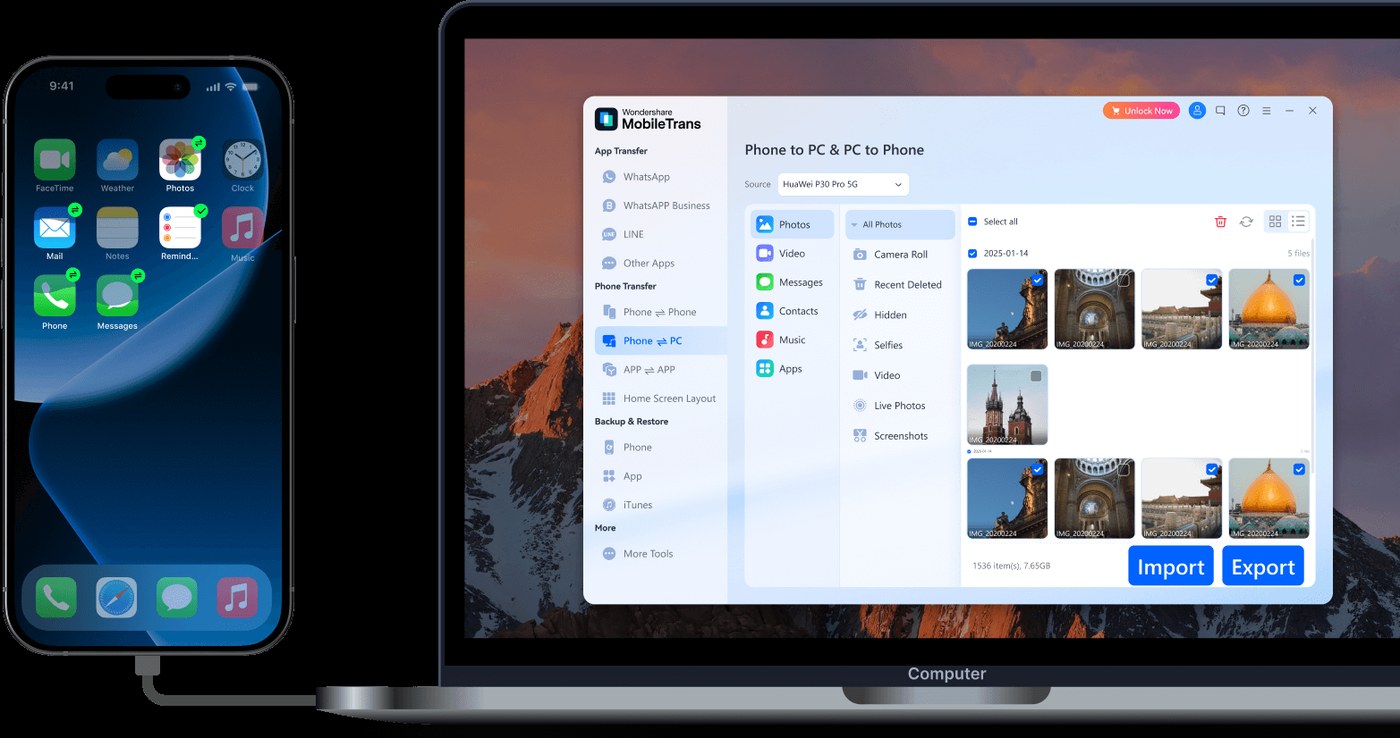
MobileTrans is the broadest product in this category: a desktop application for Windows and macOS, a separate mobile app, and modules for backup, restore, phone-to-phone transfer and social apps under one brand. It supports all four migration directions and, unusually, treats WhatsApp as a first-class data type.
We also ran it. That run is the reason this review has a lower score than the feature list suggests.
Hands-on notes: 21 minutes, 197 of 537 contacts
We installed MobileTrans 7.7.1 on a clean Windows machine and ran a full transfer between an iPhone and an Android phone by USB, all categories selected.
| Measure | Result |
|---|---|
| Run time | 21 min 12 s |
| Categories offered | 9 |
| Contacts detected | 537 |
| Contacts transferred | 197 |
| Duplicates | Present, and some duplicates were also transferred |
| Other categories | Completed successfully |
| Registration | Required at first launch |
So the fastest run in our group also lost the largest share of the address book: 340 contacts did not arrive, and the ones that did came with duplicates. Every other category completed. This is a narrow failure, but contacts are the one dataset nobody can rebuild by hand.
Two caveats, in fairness: this is a single run on one device pair, so it is not proof the failure repeats for everyone; and the version tested was 7.7.1, which may since have changed. What it does prove is that a "success" summary from the tool is not verification. Count the contacts on the target phone.
Full method and the rest of the group: our testing method.
Nine categories behind a module picker
On the desktop, MobileTrans presents a module picker rather than a single transfer button: phone-to-phone, backup, restore, WhatsApp, social apps. The transfer module is the one that matters here, and it covers nine categories — contacts, SMS, calendar, call logs, photos, music, videos, apps and app data.
The mobile app is a separate product with a separate licence. It transfers over a local Wi-Fi link, which is genuinely useful when you have no laptop, and it is not included in the desktop purchase.
Coverage, direction by direction
| Direction | Documented coverage |
|---|---|
| Android → Android | Contacts, SMS, call logs, photos, videos, music, apps, app data, WhatsApp |
| Android → iPhone | Same core set plus WhatsApp |
| iPhone → Android | Same core set plus WhatsApp |
| iPhone → iPhone | Full set, including app data where the app supports it |
Unlike most rivals, the cross-platform rows are not the poor relation. That is the product's main claim, and it mostly holds up — with one caveat recorded below.
Setup, and the Wi-Fi route
Two cables, a computer, category selection, one button. The desktop flow is straightforward; the interface is busier than Coolmuster's, with module tiles and upgrade prompts, but nothing blocks the transfer.
The mobile-app route skips the computer and connects over local Wi-Fi. Slower, and the first thing to fail on a congested network or guest Wi-Fi with client isolation.
Five phones per licence
| Licence | Price | Devices |
|---|---|---|
| Yearly | $29.95 | up to 5 phones |
| Lifetime | $39.95 | up to 5 phones |
| Mobile app — Essential | $18.99 / year | separate purchase |
| Mobile app — Premium | $36.99 / year | separate purchase |
The refund window is 7 days, half of what Coolmuster offers — and the hardest feature (chat migration) can take a second attempt to get right. Five phones per licence is the quiet advantage: for a household or small office, $39.95 lifetime for five devices beats three single-PC licences elsewhere.
Regional pricing varies and a permanent-looking discount is common, so check the store page rather than a coupon site.
Buy it if chat history matters
- Anyone who needs WhatsApp or WhatsApp Business moved alongside everything else.
- Android ↔ iPhone switchers who need messages, photos and app data in the same run — this is the widest cross-platform coverage we scored.
- Families or small teams replacing more than one phone, since the licence covers five.
- People without a laptop who need the mobile-app route, provided they buy the app licence deliberately.
Skip it if your address book is large
- Large address books, until you have verified the contacts result yourself with a trial run.
- Buyers who want a long refund window. Seven days is tight for a two-attempt migration.
- Android-to-Android movers who do not care about chat apps: cheaper tools cover that direction fully.
- Anyone assuming the app is included. It is not.
When contacts do not arrive
Contacts arrive partially. The failure we measured. Before starting, export contacts from both phones as vCard so you can diff and re-import the missing set. After the run, compare counts, then merge duplicates in the contacts app.
WhatsApp migration needs the target prepared. The tool moves the local chat database, so the new phone must have WhatsApp freshly installed with the old data removed. Do not open WhatsApp before the transfer finishes.
Mobile app cannot find the desktop licence. They are separate SKUs. If you bought desktop and the app asks for a licence, that is expected, not a bug.
Transfer stalls with both screens off. Android skins suspend USB data when the screen sleeps. Set the screen timeout to 30 minutes on both phones before starting.
iOS backup password prompt appears. If the old iPhone's backup is encrypted, the tool needs that password. Set it before you start, or disable encryption — but keep a backup either way.
Against Coolmuster and iReaShare
| MobileTrans | Coolmuster | iReaShare | |
|---|---|---|---|
| Score | 8.7 | 9.1 | 8.4 |
| Entry price | $29.95 / yr, 5 phones | $25.95 / yr, 1 PC | $19.95 / month |
| Lifetime | $39.95, 5 phones | $35.95, 1 PC | $39.95, 1 PC |
| Android → iPhone | Full set | Contacts + books | Full set |
| Yes, incl. Business | No | Separate module | |
| Measured run | 21m 12s, contacts lost | Not run | Not run |
Against Coolmuster it buys cross-platform coverage and chat apps for $4 a year and a worse refund policy. Against iReaShare it is more complete on WhatsApp and worse on monthly pricing. The ranking page explains how those trade-offs become a score.
What the green tick hides
- Contact transfer failed on our bench — the single most important finding in this review.
- 7-day refund is short for a tool this fiddly.
- Mobile app licensed separately, which surprises buyers.
- Aggressive upsell for adjacent modules.
- Some social app transfers need the same app installed and logged in on both phones.
Verdict
The best WhatsApp story in the category and the widest cross-platform list, undermined by a contacts failure we measured ourselves. Buy it for chat history or a five-phone household; verify the address book before you trust the green tick.
8.7/10 — fastest run we recorded, and the one that needs the most checking afterwards.
FAQ
Does it move WhatsApp without the old phone?
No. It reads the source device or its backup. Cross-platform recovery without the source device is not realistic for any tool.
Is the mobile app required?
No, but it is the only computer-free route, and it is a separate purchase.
Will app data move, or just the app?
The app is reinstalled; data moves where the app supports export. Server-side game saves are unaffected either way.
Should I trust the transfer summary?
No. Our run reported success while 340 contacts were missing. Count on the target phone.